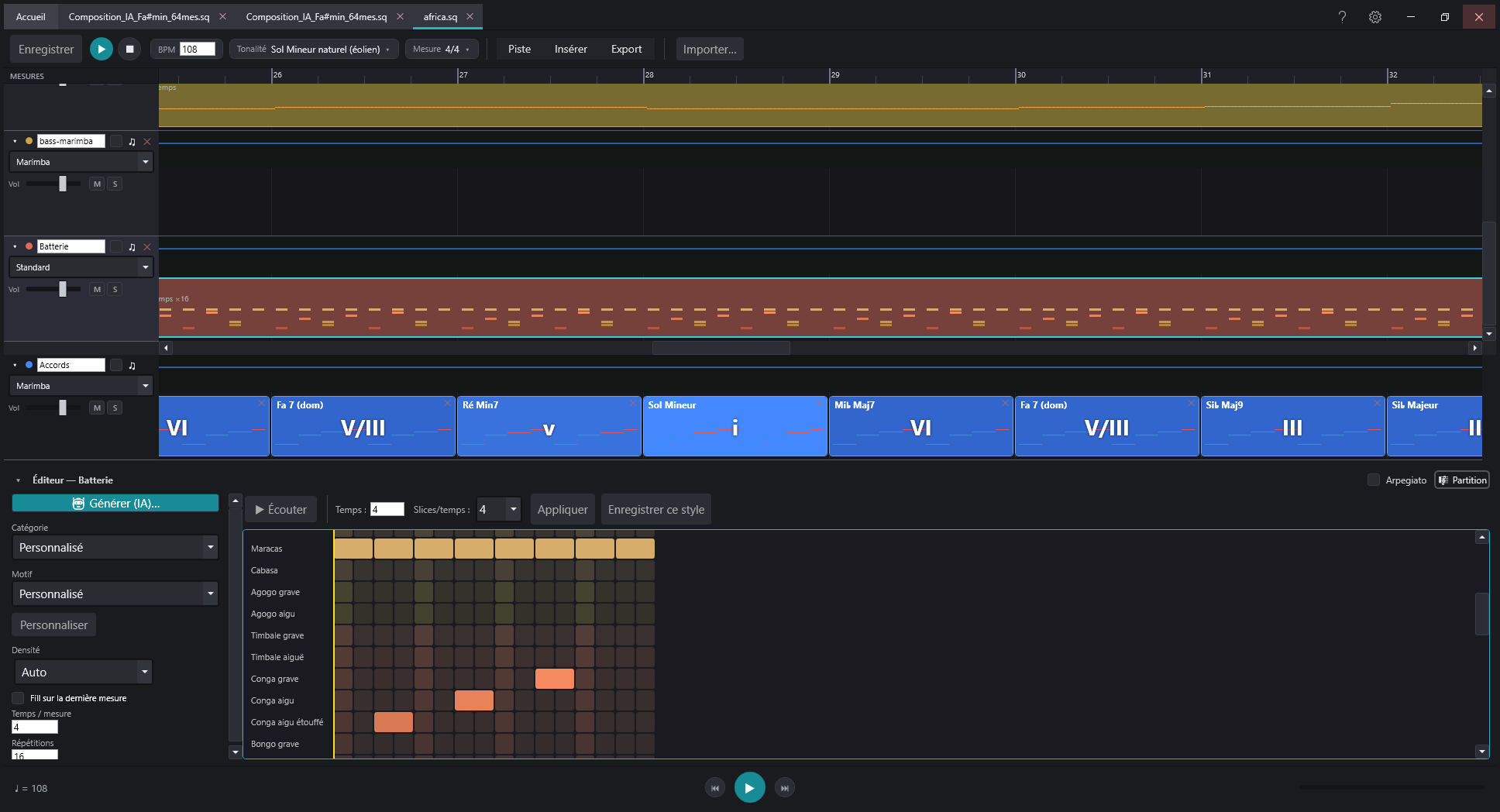
AI-assisted composition, timeline arranging, engraved notation, a console-style mixer and 69 simulated instruments and effects — together in a single, lightweight Windows app.
Version 2.0.0.2 · Windows 10 / 11 (64 bits) · No sign-up. Automatic updates.
69instruments and effects included
7interface languages
7built-in AI engines
5exports (PDF · MuseScore · MIDI · WAV · MP3)
Everything you need
A full pipeline, from idea to score
Every module is built for musicians: generate, arrange, edit and export without leaving the app.
69 built-in instruments and effects
Instruments that do not replay samples: they are SIMULATED. A guqin string, an Armenian duduk, a didgeridoo, a music box, bagpipes, a kalimba — each with the controls of its own playing gesture (bow pressure, tonguing, brightness, vibrato depth). Alongside them: reverbs, saturation, chorus and freeze, plus generators that write the music themselves. 34 instruments, 18 effects, 6 generators and 2 note filters, shipped with the app.
Console-style mixer
One strip per track: fader, pan, mute/solo, meter and an insert chain — EQ, compressor, delay, saturation, or any plugin. A shared reverb bus fed by a per-track send: one reverb for the whole piece, instead of one per track whose settings drift apart. An audition button on every insert plays an excerpt of the track through the chain up to that effect, so you hear what it adds.
Koton Live: microphone and MIDI in real time
A program of its own, shipped with Koton Studio. In effects mode your microphone or instrument runs through the chain and out to the sound card. In instrument mode what you play — pitch detected from the microphone, or a MIDI keyboard with velocity and pedal — drives a SoundFont, a VSTi or a Koton instrument. WASAPI output, or ASIO for low latency.
Automate any parameter
Any plugin setting can be driven by a curve along the piece: a vibrato that settles in over a held note, a filter sweeping across four bars, a reverb at 0% in the verse and 60% in the chorus — on instruments, insert effects and the master bus. Plus a staccato curve that re-articulates held notes, working for every sound source. Save your favourite settings as presets, shared across all your pieces.
VST2 and VST3 plugins
Your third-party plugins sit in the chain like the built-in ones, instruments included: drop Vital or Surge XT on a track in place of the SoundFont sound, open their native interface, and the patch is saved with the project. A vst\ folder next to the executable lets you carry your plugins along with a portable install.
AI composition
Describe a style and a length: the AI generates chords, sections, articulations, melodic lines and drums right on the timeline. Add an instrument to an existing piece in one click.
Multi-provider AI
Built-in clients for Mistral, Gemini, Groq, DeepSeek, Claude, Grok and Qwen. Store multiple named keys, or work key-free through the clipboard.
Timeline editor
A sequencer of horizontal tracks: riff modules, repeats, a chord lane, tempo and dynamics lanes, a measure ruler. Copy, paste and rearrange on the fly.
Harmony in scale degrees
You compose by thinking in scale degrees (I, IV, V…) rather than fixed chords: the progression stays correct in any key and transposes in one click. Dedicated chord track, functional cadence generator, progression suggestions and automatic voice-leading.
Engraved score
View each track in professional notation (Bravura font), with zoom and a playback cursor. Export to PDF (A4) and native MuseScore (.mscx).
Drum editor
A pattern catalog (standard, Africa, Australia), draw your own grooves, AI generation and one-click conversion of riffs into drum kits.
Euclidean rhythms & polyrhythm
Spread K hits over N pulses: the Euclidean formula rediscovers the tresillo, the cinquillo, the aksak and the bossa-nova on its own. Stack several rings turning at different speeds — a concentric wheel shows the real cycle and a needle follows playback. Three modules: drums, a melodic line whose pitches the harmony engine picks, and a chord progression — one ring per chord tone, with voice leading following along. And when the formula won't say what you mean, click the hits straight onto the circle.
Melodic lines
From rhythm-only lines where the engine picks pitches from the chords, to fully written melodies and counter-melodies.